
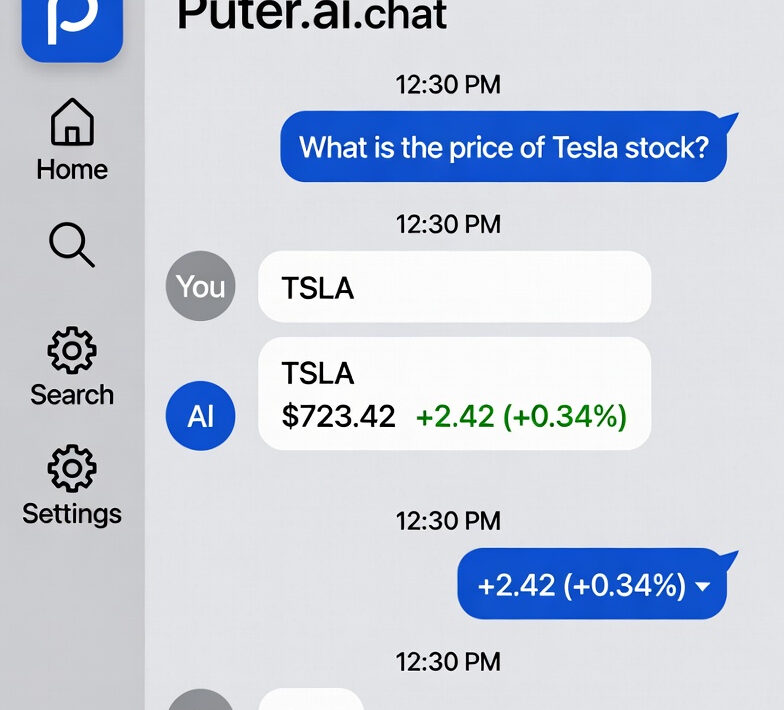
Getting Started With Puter.ai Chat
Puter.ai is a cloud-based operating system and development platform that provides various APIs and services for building web applications. One of its key features is the AI chat API, which allows developers to integrate conversational AI capabilities into their JavaScript applications without managing complex backend infrastructure.
Key Benefits:
- Easy-to-use JavaScript SDK
- No server setup required
- Built-in authentication
- Multiple AI models available
- Streaming support for real-time responses
- Cloud-based file system and storage integration.
Prerequisites:
Before you start working with Puter.ai chat, you should have:
Technical Requirements:
- Basic knowledge of JavaScript (ES6+)
- Understanding of async/await and Promises
- Familiarity with HTML and DOM manipulation
- A modern web browser (Chrome, Firefox, Safari, or Edge)
- Text editor or IDE (VS Code, Sublime Text, etc.)
- Understanding of REST APIs
- Experience with frontend frameworks (React, Vue, etc.)
- Knowledge of npm and package management
Account Setup:
- A Puter.ai account (sign up at puter.com if you don’t have one)
- API credentials (if building production applications)
Authentication & Setup
2.1 Authentication Methods
Puter.ai offers several authentication methods depending on your use case and application requirements.
2.1.1 User Sign-In
The standard authentication method for client-side applications where users interact directly:
// Basic sign-in
await puter.auth.signIn();
// This will:
// 1. Open a popup or redirect for user authentication
// 2. Return user information upon successful authentication
// 3. Store authentication tokens automatically
Check Authentication Status:
// Check if user is already signed in
if (puter.auth.isSignedIn()) {
console.log(‘User is authenticated’);
const user = await puter.auth.getUser();
console.log(‘User info:’, user);
} else {
console.log(‘User needs to sign in’);
await puter.auth.signIn();
}
Sign Out:
// Sign out the current user
await puter.auth.signOut();
2.1.2 API Keys
For server-side applications or programmatic access:
// Set API key (typically in server-side Node.js)
puter.setAPIKey(‘your-api-key-here’);
// Or configure during initialization
const puter = require(‘puter’);
puter.configure({
apiKey: process.env.PUTER_API_KEY
});
Getting Your API Key:
Sign in to Puter.ai
Navigate to Settings → API Keys
Generate a new API key
Store securely (never commit to version control)
2.1.3 Anonymous Mode
Some operations may work without authentication (with limitations):
// Check if anonymous access is allowed
if (puter.ai.supportsAnonymous) {
const response = await puter.ai.chat(“Hello!”);
} else {
await puter.auth.signIn();
}
2.2 Initializing the Puter SDK
Client-Side Initialization
Via CDN:
<!DOCTYPE html>
<html>
<head>
<script src=”https://js.puter.com/v2/”></script>
</head>
<body>
<script>
// Puter is automatically available globally
(async () => {
await puter.auth.signIn();
console.log(‘Puter initialized and authenticated’);
})();
</script>
</body>
</html>
Via NPM/ES Modules:
import puter from ‘puter’;
// Initialize on app load
async function initializeApp() {
try {
await puter.auth.signIn();
console.log(‘Puter ready’);
} catch (error) {
console.error(‘Failed to initialize Puter:’, error);
}
}
initializeApp();
Server-Side Initialization (Node.js)
const puter = require(‘puter’);
// Configure with API key
puter.configure({
apiKey: process.env.PUTER_API_KEY,
appId: process.env.PUTER_APP_ID // if applicable
});
// Now ready to use
async function main() {
const response = await puter.ai.chat(‘Hello from server!’);
console.log(response);
}
main();
2.3 Configuration Options
Basic Configuration
puter.configure({
// Authentication
apiKey: ‘your-api-key’,
// App identification
appId: ‘your-app-id’,
appName: ‘My Chat App’,
// API endpoint (usually not needed)
apiOrigin: ‘https://api.puter.com’,
// Timeout settings
timeout: 30000, // 30 seconds
// Debug mode
debug: true
});
Advanced Configuration
const config = {
// Authentication options
auth: {
autoSignIn: true, // Automatically prompt sign-in
rememberUser: true, // Remember authentication
sessionTimeout: 3600 // Session timeout in seconds
},
// Chat-specific defaults
chat: {
model: ‘gpt-4’,
temperature: 0.7,
maxTokens: 2000,
stream: true
},
// Retry configuration
retry: {
maxRetries: 3,
retryDelay: 1000, // Initial delay in ms
backoffMultiplier: 2 // Exponential backoff
},
// Error handling
onError: (error) => {
console.error(‘Puter error:’, error);
}
};
puter.configure(config);
2.4 Error Handling for Auth
Common Authentication Errors
async function authenticateUser() {
try {
await puter.auth.signIn();
return true;
} catch (error) {
// Handle specific error types
switch (error.code) {
case ‘auth/popup-blocked’:
alert(‘Please allow popups for this site to sign in’);
break;
case ‘auth/cancelled’:
console.log(‘User cancelled sign-in’);
break;
case ‘auth/network-error’:
alert(‘Network error. Please check your connection.’);
break;
case ‘auth/unauthorized’:
alert(‘Authentication failed. Please try again.’);
break;
default:
console.error(‘Authentication error:’, error);
alert(‘Failed to sign in. Please try again.’);
}
return false;
}
}
Robust Authentication Flow
class PuterAuthManager {
constructor() {
this.maxRetries = 3;
this.retryCount = 0;
}
async initialize() {
// Check existing session
if (puter.auth.isSignedIn()) {
console.log(‘Using existing session’);
return this.validateSession();
}
// Attempt new sign-in
return this.signIn();
}
async validateSession() {
try {
const user = await puter.auth.getUser();
console.log(‘Session valid for user:’, user.username);
return true;
} catch (error) {
console.error(‘Session invalid:’, error);
return this.signIn();
}
}
async signIn() {
try {
await puter.auth.signIn();
this.retryCount = 0; // Reset on success
console.log(‘Sign-in successful’);
return true;
} catch (error) {
if (this.retryCount < this.maxRetries && this.shouldRetry(error)) {
this.retryCount++;
console.log(`Retry attempt ${this.retryCount}/${this.maxRetries}`);
await this.delay(1000 * this.retryCount);
return this.signIn();
}
this.handleAuthError(error);
return false;
}
}
shouldRetry(error) {
const retryableErrors = [
‘auth/network-error’,
‘auth/timeout’,
‘auth/server-error’
];
return retryableErrors.includes(error.code);
}
handleAuthError(error) {
console.error(‘Authentication failed:’, error);
// Show user-friendly error message
// Log to error tracking service
// Redirect to error page if necessary
}
delay(ms) {
return new Promise(resolve => setTimeout(resolve, ms));
}
async signOut() {
try {
await puter.auth.signOut();
console.log(‘Signed out successfully’);
} catch (error) {
console.error(‘Sign-out error:’, error);
}
}
}
// Usage
const authManager = new PuterAuthManager();
await authManager.initialize();
Environment-Based Configuration
// config.js
const config = {
development: {
apiKey: process.env.PUTER_DEV_API_KEY,
debug: true,
timeout: 60000
},
production: {
apiKey: process.env.PUTER_PROD_API_KEY,
debug: false,
timeout: 30000
}
};
const environment = process.env.NODE_ENV || ‘development’;
const puterConfig = config[environment];
puter.configure(puterConfig);
export default puterConfig;
Complete Setup Example
// app.js – Complete initialization
import puter from ‘puter’;
class ChatApp {
constructor() {
this.initialized = false;
this.user = null;
}
async init() {
try {
// Step 1: Configure Puter
puter.configure({
appName: ‘My Chat App’,
debug: process.env.NODE_ENV === ‘development’
});
// Step 2: Authenticate
if (!puter.auth.isSignedIn()) {
await puter.auth.signIn();
}
// Step 3: Get user info
this.user = await puter.auth.getUser();
console.log(‘Logged in as:’, this.user.username);
// Step 4: Test connection
await this.testConnection();
this.initialized = true;
console.log(‘Chat app initialized successfully’);
} catch (error) {
console.error(‘Initialization failed:’, error);
this.handleInitError(error);
}
}
async testConnection() {
const response = await puter.ai.chat(‘Test connection’);
console.log(‘Connection test successful’);
}
handleInitError(error) {
// Show error UI
document.getElementById(‘error-message’).textContent =
‘Failed to initialize. Please refresh the page.’;
// Log to monitoring service
}
}
// Initialize app
const app = new ChatApp();
app.init();
export default app;
This comprehensive authentication and setup guide covers the essential patterns you’ll need to get started with Puter.ai chat in your JavaScript applications.
Basic Chat Operations
3.1 Simple Chat Requests
The simplest way to use Puter.ai chat is with a single string message:
// Simple one-line chat
const response = await puter.ai.chat(“Hello, how are you?”);
console.log(response);
For more control, use the object-based approach:
const response = await puter.ai.chat({
messages: [
{ role: “user”, content: “What is JavaScript?” }
]
});
console.log(response);
3.2 Message Structure
Messages in Puter.ai chat follow a standardized format with different roles for different purposes.
3.2.1 User Messages
User messages represent input from the person interacting with the AI:
const userMessage = {
role: “user”,
content: “Explain async/await in JavaScript”
};
const response = await puter.ai.chat({
messages: [userMessage]
});
3.2.2 System Messages
System messages set the behavior, personality, or context for the AI assistant:
const messages = [
{
role: “system”,
content: “You are a helpful coding assistant specializing in JavaScript. Provide clear, concise explanations with code examples.”
},
{
role: “user”,
content: “How do I create a promise?”
}
];
const response = await puter.ai.chat({ messages });
Best Practices for System Messages:
Place system messages at the beginning of the conversation
Be specific about tone, style, and expertise level
Keep them concise but informative
Use them to set constraints or guidelines
3.2.3 Assistant Messages
Assistant messages represent previous AI responses, used for maintaining conversation context:
const conversationHistory = [
{ role: “system”, content: “You are a helpful assistant.” },
{ role: “user”, content: “What’s the capital of France?” },
{ role: “assistant”, content: “The capital of France is Paris.” },
{ role: “user”, content: “What’s the population?” }
];
const response = await puter.ai.chat({ messages: conversationHistory });
3.3 Request Parameters
3.3.1 Temperature
Temperature controls randomness in responses (0.0 to 2.0):
// Low temperature – more focused and deterministic
const factualResponse = await puter.ai.chat({
messages: [{ role: “user”, content: “What is 2+2?” }],
temperature: 0.1
});
// High temperature – more creative and varied
const creativeResponse = await puter.ai.chat({
messages: [{ role: “user”, content: “Write a creative story opening” }],
temperature: 1.5
});
Temperature Guide:
0.0-0.3: Factual, consistent, predictable (ideal for code, math, facts)
0.4-0.7: Balanced creativity and coherence (general conversation)
0.8-1.5: Creative, varied, exploratory (brainstorming, creative writing)
1.6-2.0: Very random, experimental
3.3.2 Max Tokens
Limits the length of the response:
// Short response
const briefResponse = await puter.ai.chat({
messages: [{ role: “user”, content: “Explain recursion” }],
max_tokens: 100
});
// Longer response
const detailedResponse = await puter.ai.chat({
messages: [{ role: “user”, content: “Explain recursion with examples” }],
max_tokens: 500
});
Token Considerations:
1 token ≈ 4 characters or ≈ 0.75 words
Includes both input and output
Be mindful of API limits and costs
3.3.3 Top P
Controls diversity via nucleus sampling (0.0 to 1.0):
const response = await puter.ai.chat({
messages: [{ role: “user”, content: “Suggest a variable name” }],
top_p: 0.9
});
Top P Guide:
0.1-0.5: More focused, conservative choices
0.6-0.9: Balanced variety (recommended)
0.95-1.0: Maximum diversity
Note: Generally use either temperature OR top_p, not both.
3.3.4 Model Selection
Choose different AI models based on your needs:
// Using GPT-4
const gpt4Response = await puter.ai.chat({
messages: [{ role: “user”, content: “Complex reasoning task” }],
model: “gpt-4”
});
// Using GPT-3.5 for faster, cost-effective responses
const gpt35Response = await puter.ai.chat({
messages: [{ role: “user”, content: “Simple question” }],
model: “gpt-3.5-turbo”
});
3.4 Response Formats
Basic String Response
const response = await puter.ai.chat(“Hello!”);
console.log(typeof response); // “string”
console.log(response); // “Hello! How can I assist you today?”
Detailed Response Object
When you need more information about the response:
const response = await puter.ai.chat({
messages: [{ role: “user”, content: “Hi there!” }],
stream: false
});
// Response structure (example)
console.log(response);
/*
{
content: “Hello! How can I help you?”,
model: “gpt-3.5-turbo”,
usage: {
prompt_tokens: 10,
completion_tokens: 8,
total_tokens: 18
}
}
*/
Complete Example: Chat Function
Here’s a practical function combining all the basic operations:
async function chat(userInput, options = {}) {
try {
const defaultOptions = {
temperature: 0.7,
max_tokens: 1000,
model: “gpt-3.5-turbo”
};
const config = { …defaultOptions, …options };
const messages = [
{
role: “system”,
content: config.systemPrompt || “You are a helpful assistant.”
},
{
role: “user”,
content: userInput
}
];
const response = await puter.ai.chat({
messages,
temperature: config.temperature,
max_tokens: config.max_tokens,
model: config.model
});
return response;
} catch (error) {
console.error(“Chat error:”, error);
throw error;
}
}
// Usage examples
const answer1 = await chat(“What is Node.js?”);
const answer2 = await chat(“Write a haiku about coding”, {
temperature: 1.2,
max_tokens: 100
});
const answer3 = await chat(“Solve this math problem: 15 * 23”, {
temperature: 0.1,
systemPrompt: “You are a math tutor. Provide step-by-step solutions.”
});
Handling Multiple Parameters Example
async function createChatRequest() {
const request = {
messages: [
{
role: “system”,
content: “You are a JavaScript expert who explains concepts clearly.”
},
{
role: “user”,
content: “Explain closures with an example”
}
],
model: “gpt-4”,
temperature: 0.5,
max_tokens: 800,
top_p: 0.9
};
const response = await puter.ai.chat(request);
return response;
}
Key Takeaways
Message Roles: Use system for instructions, user for input, assistant for conversation history
Temperature: Lower for facts (0.1-0.3), higher for creativity (0.8-1.5)
Max Tokens: Balance between response length and cost/performance
Model Selection: Choose based on task complexity and budget
Error Handling: Always wrap API calls in try-catch blocks
These basic operations form the foundation for all Puter.ai chat interactions. Master these concepts before moving on to advanced features like streaming and conversation management.
Use Cases & Patterns
9.1 Customer Support Chatbot
Overview
Create an intelligent customer support system that handles common inquiries, troubleshooting, and ticket routing.
Implementation Pattern
class SupportChatbot {
constructor() {
this.conversationHistory = [];
this.userContext = {
accountId: null,
issue: null,
priority: ‘normal’
};
}
async initialize() {
await puter.auth.signIn();
// Set system context for support role
this.conversationHistory.push({
role: “system”,
content: `You are a helpful customer support assistant.
Be empathetic, professional, and solution-oriented.
Ask clarifying questions when needed.
If you cannot resolve an issue, offer to escalate to a human agent.`
});
}
async handleUserQuery(message, userInfo = {}) {
// Update context
this.userContext = { …this.userContext, …userInfo };
// Add user message
this.conversationHistory.push({
role: “user”,
content: message
});
try {
const response = await puter.ai.chat({
messages: this.conversationHistory,
temperature: 0.7,
stream: true
});
let fullResponse = “”;
for await (const chunk of response) {
fullResponse += chunk;
this.displayTyping(chunk);
}
// Store assistant response
this.conversationHistory.push({
role: “assistant”,
content: fullResponse
});
// Check if escalation needed
this.checkForEscalation(fullResponse);
return fullResponse;
} catch (error) {
return this.handleError(error);
}
}
checkForEscalation(response) {
const escalationKeywords = [‘speak to human’, ‘manager’, ‘escalate’, ‘not satisfied’];
const needsEscalation = escalationKeywords.some(keyword =>
response.toLowerCase().includes(keyword)
);
if (needsEscalation) {
this.createSupportTicket();
}
}
createSupportTicket() {
// Create ticket with conversation history
const ticket = {
userId: this.userContext.accountId,
conversation: this.conversationHistory,
timestamp: new Date().toISOString(),
priority: this.userContext.priority
};
// Send to your ticketing system
console.log(“Creating support ticket:”, ticket);
}
displayTyping(chunk) {
// Update UI with streaming response
const chatContainer = document.getElementById(‘chat-messages’);
const lastMessage = chatContainer.lastElementChild;
if (lastMessage && lastMessage.classList.contains(‘bot-message’)) {
lastMessage.textContent += chunk;
} else {
const messageDiv = document.createElement(‘div’);
messageDiv.className = ‘bot-message’;
messageDiv.textContent = chunk;
chatContainer.appendChild(messageDiv);
}
}
handleError(error) {
return “I apologize, but I’m experiencing technical difficulties. Please try again or contact support@example.com”;
}
}
// Usage
const supportBot = new SupportChatbot();
await supportBot.initialize();
await supportBot.handleUserQuery(“My order hasn’t arrived yet”, { accountId: “12345” });
9.2 Code Assistant
Overview
Build an intelligent coding companion that helps with code generation, debugging, and explanations.
Implementation Pattern
class CodeAssistant {
constructor() {
this.conversationHistory = [{
role: “system”,
content: `You are an expert programming assistant.
Provide clear, well-commented code examples.
Explain technical concepts simply.
Always include error handling in code samples.
Format code using markdown code blocks with language specification.`
}];
this.currentLanguage = ‘javascript’;
}
async askCodingQuestion(question, context = {}) {
const enrichedQuestion = this.enrichWithContext(question, context);
this.conversationHistory.push({
role: “user”,
content: enrichedQuestion
});
const response = await puter.ai.chat({
messages: this.conversationHistory,
temperature: 0.3, // Lower temperature for more consistent code
max_tokens: 2000
});
this.conversationHistory.push({
role: “assistant”,
content: response
});
return this.parseCodeResponse(response);
}
enrichWithContext(question, context) {
let enriched = question;
if (context.code) {
enriched += `\n\nCurrent code:\n\`\`\`${this.currentLanguage}\n${context.code}\n\`\`\“;
}
if (context.error) {
enriched += `\n\nError message:\n${context.error}`;
}
if (context.language) {
this.currentLanguage = context.language;
enriched += `\n\nLanguage: ${context.language}`;
}
return enriched;
}
parseCodeResponse(response) {
// Extract code blocks
const codeBlockRegex = /“`(\w+)?\n([\s\S]*?)“`/g;
const codeBlocks = [];
let match;
while ((match = codeBlockRegex.exec(response)) !== null) {
codeBlocks.push({
language: match[1] || this.currentLanguage,
code: match[2].trim()
});
}
return {
fullResponse: response,
codeBlocks: codeBlocks,
explanation: response.replace(codeBlockRegex, ”).trim()
};
}
async debugCode(code, errorMessage) {
return await this.askCodingQuestion(
`Help me debug this code. It’s throwing an error.`,
{ code, error: errorMessage }
);
}
async explainCode(code) {
return await this.askCodingQuestion(
`Explain what this code does step by step.`,
{ code }
);
}
async optimizeCode(code) {
return await this.askCodingQuestion(
`Suggest optimizations for this code in terms of performance and readability.`,
{ code }
);
}
}
// Usage
const codeHelper = new CodeAssistant();
const result = await codeHelper.debugCode(
`function calculateTotal(items) {
return items.reduce((sum, item) => sum + item.price);
}`,
“TypeError: Cannot read property ‘price’ of undefined”
);
console.log(result.explanation);
result.codeBlocks.forEach(block => {
console.log(`${block.language}:`, block.code);
});
9.3 Content Generator
Overview
Generate various types of content including blog posts, product descriptions, social media posts, and marketing copy.
Implementation Pattern
class ContentGenerator {
constructor() {
this.templates = {
blogPost: {
system: “You are a professional content writer. Create engaging, SEO-friendly blog posts with clear structure.”,
structure: [“introduction”, “main_points”, “conclusion”]
},
productDescription: {
system: “You are a persuasive copywriter. Create compelling product descriptions that highlight benefits.”,
maxLength: 500
},
socialMedia: {
system: “You are a social media expert. Create engaging, concise posts with appropriate tone.”,
platforms: [“twitter”, “linkedin”, “instagram”, “facebook”]
},
email: {
system: “You are a professional email writer. Create clear, concise, and action-oriented emails.”,
types: [“marketing”, “transactional”, “newsletter”]
}
};
}
async generateBlogPost(topic, options = {}) {
const {
tone = “professional”,
length = “medium”,
targetAudience = “general”,
keywords = []
} = options;
const prompt = `Write a ${length} blog post about “${topic}”.
Requirements:
– Tone: ${tone}
– Target audience: ${targetAudience}
${keywords.length ? `- Include these keywords: ${keywords.join(‘, ‘)}` : ”}
– Include an engaging title
– Use subheadings for structure
– Add a conclusion with call-to-action`;
const response = await puter.ai.chat({
messages: [
{ role: “system”, content: this.templates.blogPost.system },
{ role: “user”, content: prompt }
],
temperature: 0.8,
max_tokens: 2500
});
return this.parseBlogPost(response);
}
async generateProductDescription(productInfo) {
const prompt = `Create a compelling product description for:
Product: ${productInfo.name}
Category: ${productInfo.category}
Key Features: ${productInfo.features.join(‘, ‘)}
Target Audience: ${productInfo.audience}
Price Point: ${productInfo.priceRange}
Focus on benefits, not just features. Make it persuasive and scannable.`;
const response = await puter.ai.chat({
messages: [
{ role: “system”, content: this.templates.productDescription.system },
{ role: “user”, content: prompt }
],
temperature: 0.7,
max_tokens: 600
});
return response;
}
async generateSocialMediaPost(content, platform, options = {}) {
const platformLimits = {
twitter: 280,
linkedin: 3000,
instagram: 2200,
facebook: 63206
};
const prompt = `Create a ${platform} post about: ${content}
${options.hashtags ? `Include relevant hashtags` : ”}
${options.emoji ? `Use appropriate emojis` : ”}
${options.cta ? `Include a call-to-action: ${options.cta}` : ”}
Character limit: ${platformLimits[platform]}
Tone: ${options.tone || ‘engaging and authentic’}`;
const response = await puter.ai.chat({
messages: [
{ role: “system”, content: this.templates.socialMedia.system },
{ role: “user”, content: prompt }
],
temperature: 0.9 // Higher creativity for social media
});
return {
platform,
content: response,
characterCount: response.length,
withinLimit: response.length <= platformLimits[platform]
};
}
async generateMultiplePosts(topic, count = 5) {
const variations = [];
for (let i = 0; i < count; i++) {
const response = await puter.ai.chat({
messages: [
{
role: “system”,
content: “Create unique, engaging social media posts. Each should have a different angle or hook.”
},
{
role: “user”,
content: `Create variation ${i + 1} of a post about: ${topic}`
}
],
temperature: 0.9
});
variations.push(response);
}
return variations;
}
parseBlogPost(response) {
// Extract title (usually first line or marked with #)
const lines = response.split(‘\n’);
const title = lines[0].replace(/^#\s*/, ”);
return {
title,
fullContent: response,
wordCount: response.split(/\s+/).length,
readingTime: Math.ceil(response.split(/\s+/).length / 200) // ~200 words per minute
};
}
async rewriteContent(originalContent, instructions) {
const prompt = `Rewrite the following content with these instructions: ${instructions}
Original content:
${originalContent}`;
return await puter.ai.chat({
messages: [
{ role: “system”, content: “You are an expert editor and rewriter.” },
{ role: “user”, content: prompt }
],
temperature: 0.7
});
}
}
// Usage
const contentGen = new ContentGenerator();
// Generate blog post
const blogPost = await contentGen.generateBlogPost(
“The Future of AI in Healthcare”,
{
tone: “informative”,
length: “long”,
targetAudience: “healthcare professionals”,
keywords: [“AI”, “machine learning”, “patient care”]
}
);
// Generate product description
const productDesc = await contentGen.generateProductDescription({
name: “SmartWatch Pro X”,
category: “Wearable Technology”,
features: [“Heart rate monitoring”, “GPS tracking”, “7-day battery”],
audience: “Fitness enthusiasts”,
priceRange: “$299-$399”
});
// Generate social media posts
const tweet = await contentGen.generateSocialMediaPost(
“Launching our new AI-powered analytics platform”,
“twitter”,
{ hashtags: true, emoji: true, cta: “Sign up for early access” }
);
9.4 Q&A System
Overview
Build an intelligent question-answering system with context awareness and source citations.
Implementation Pattern
class QASystem {
constructor(knowledgeBase = []) {
this.knowledgeBase = knowledgeBase;
this.conversationHistory = [];
this.initializeSystem();
}
initializeSystem() {
const systemPrompt = `You are a knowledgeable Q&A assistant.
Answer questions accurately based on provided context.
If you don’t know the answer, say so clearly.
Cite sources when available.
Ask clarifying questions if the query is ambiguous.`;
this.conversationHistory.push({
role: “system”,
content: systemPrompt
});
}
async addKnowledge(documents) {
// Add documents to knowledge base
this.knowledgeBase.push(…documents);
}
findRelevantContext(question) {
// Simple relevance matching (in production, use embeddings/vector search)
const keywords = question.toLowerCase().split(/\s+/);
return this.knowledgeBase
.filter(doc => {
const docText = doc.content.toLowerCase();
return keywords.some(keyword => docText.includes(keyword));
})
.slice(0, 3); // Top 3 relevant documents
}
async askQuestion(question) {
// Find relevant context
const relevantDocs = this.findRelevantContext(question);
// Build context-aware prompt
let contextPrompt = question;
if (relevantDocs.length > 0) {
contextPrompt = `Context information:\n\n`;
relevantDocs.forEach((doc, index) => {
contextPrompt += `[Source ${index + 1}: ${doc.title}]\n${doc.content}\n\n`;
});
contextPrompt += `Question: ${question}\n\nPlease answer based on the context above. Cite sources using [Source X] notation.`;
}
this.conversationHistory.push({
role: “user”,
content: contextPrompt
});
const response = await puter.ai.chat({
messages: this.conversationHistory,
temperature: 0.3, // Lower for factual accuracy
max_tokens: 1000
});
this.conversationHistory.push({
role: “assistant”,
content: response
});
return {
answer: response,
sources: relevantDocs.map(doc => ({
title: doc.title,
url: doc.url
})),
confidence: this.assessConfidence(response)
};
}
assessConfidence(response) {
// Simple confidence assessment based on response content
const uncertaintyPhrases = [
“i’m not sure”,
“i don’t know”,
“unclear”,
“might be”,
“possibly”,
“maybe”
];
const hasUncertainty = uncertaintyPhrases.some(phrase =>
response.toLowerCase().includes(phrase)
);
return hasUncertainty ? “low” : “high”;
}
async askFollowUp(followUpQuestion) {
// Maintains conversation context automatically
return await this.askQuestion(followUpQuestion);
}
clearHistory() {
this.conversationHistory = this.conversationHistory.slice(0, 1); // Keep system prompt
}
}
// Usage
const qaSystem = new QASystem();
// Add knowledge base
await qaSystem.addKnowledge([
{
title: “Product Manual – Setup”,
content: “To set up the device, first connect the power cable…”,
url: “https://example.com/manual/setup”
},
{
title: “FAQ – Troubleshooting”,
content: “If the device won’t turn on, check the power connection…”,
url: “https://example.com/faq”
}
]);
// Ask questions
const result = await qaSystem.askQuestion(“How do I set up the device?”);
console.log(“Answer:”, result.answer);
console.log(“Sources:”, result.sources);
console.log(“Confidence:”, result.confidence);
// Follow-up question
const followUp = await qaSystem.askFollowUp(“What if it still doesn’t work?”);
9.5 Multi-Language Support
Overview
Create applications that can communicate in multiple languages with automatic translation and language detection.
Implementation Pattern
class MultilingualChat {
constructor(defaultLanguage = ‘en’) {
this.defaultLanguage = defaultLanguage;
this.currentLanguage = defaultLanguage;
this.conversations = {}; // Separate history per language
this.supportedLanguages = [
‘en’, ‘es’, ‘fr’, ‘de’, ‘it’, ‘pt’, ‘zh’, ‘ja’, ‘ko’, ‘ar’, ‘hi’, ‘ru’
];
}
async detectLanguage(text) {
const response = await puter.ai.chat({
messages: [{
role: “user”,
content: `Detect the language of this text and respond with ONLY the two-letter ISO 639-1 language code: “${text}”`
}],
temperature: 0,
max_tokens: 10
});
const detectedLang = response.trim().toLowerCase();
return this.supportedLanguages.includes(detectedLang) ? detectedLang : this.defaultLanguage;
}
async chat(message, targetLanguage = null) {
// Auto-detect if not specified
const inputLanguage = targetLanguage || await this.detectLanguage(message);
this.currentLanguage = inputLanguage;
// Initialize conversation for this language if needed
if (!this.conversations[inputLanguage]) {
this.conversations[inputLanguage] = [{
role: “system”,
content: `You are a helpful assistant. Always respond in ${this.getLanguageName(inputLanguage)}. Be culturally appropriate and natural.`
}];
}
// Add user message
this.conversations[inputLanguage].push({
role: “user”,
content: message
});
const response = await puter.ai.chat({
messages: this.conversations[inputLanguage],
temperature: 0.7
});
// Add assistant response
this.conversations[inputLanguage].push({
role: “assistant”,
content: response
});
return {
response,
language: inputLanguage,
languageName: this.getLanguageName(inputLanguage)
};
}
async translate(text, fromLang, toLang) {
const response = await puter.ai.chat({
messages: [{
role: “user”,
content: `Translate this text from ${this.getLanguageName(fromLang)} to ${this.getLanguageName(toLang)}. Provide ONLY the translation, no explanations:\n\n${text}`
}],
temperature: 0.3
});
return response;
}
async chatWithTranslation(message, userLanguage, responseLanguage) {
// Translate input if needed
let processedMessage = message;
if (userLanguage !== ‘en’) {
processedMessage = await this.translate(message, userLanguage, ‘en’);
}
// Get response in English
const englishResponse = await this.chat(processedMessage, ‘en’);
// Translate response if needed
if (responseLanguage !== ‘en’) {
const translatedResponse = await this.translate(
englishResponse.response,
‘en’,
responseLanguage
);
return {
response: translatedResponse,
original: englishResponse.response,
language: responseLanguage
};
}
return englishResponse;
}
getLanguageName(code) {
const languageNames = {
en: ‘English’,
es: ‘Spanish’,
fr: ‘French’,
de: ‘German’,
it: ‘Italian’,
pt: ‘Portuguese’,
zh: ‘Chinese’,
ja: ‘Japanese’,
ko: ‘Korean’,
ar: ‘Arabic’,
hi: ‘Hindi’,
ru: ‘Russian’
};
return languageNames[code] || ‘English’;
}
async getAvailableLanguages() {
return this.supportedLanguages.map(code => ({
code,
name: this.getLanguageName(code)
}));
}
switchLanguage(languageCode) {
if (this.supportedLanguages.includes(languageCode)) {
this.currentLanguage = languageCode;
return true;
}
return false;
}
}
// Usage
const multiChat = new MultilingualChat(‘en’);
// Auto-detect and respond
const result1 = await multiChat.chat(“Bonjour, comment allez-vous?”);
console.log(`Response (${result1.languageName}):`, result1.response);
// Explicit language
const result2 = await multiChat.chat(“¿Cómo estás?”, ‘es’);
console.log(`Response (${result2.languageName}):`, result2.response);
// Translation
const translated = await multiChat.translate(
“Hello, how are you?”,
‘en’,
‘ja’
);
console.log
Common Patterns Across Use Cases
Rate Limiting Pattern
class RateLimiter {
constructor(maxRequests = 10, timeWindow = 60000) {
this.maxRequests = maxRequests;
this.timeWindow = timeWindow;
this.requests = [];
}
async throttle() {
const now = Date.now();
this.requests = this.requests.filter(time => now – time < this.timeWindow);
if (this.requests.length >= this.maxRequests) {
const oldestRequest = this.requests[0];
const waitTime = this.timeWindow – (now – oldestRequest);
await new Promise(resolve => setTimeout(resolve, waitTime));
}
this.requests.push(now);
}
}
Caching Pattern
class ResponseCache {
constructor(ttl = 300000) { // 5 minutes default
this.cache = new Map();
this.ttl = ttl;
}
get(key) {
const cached = this.cache.get(key);
if (!cached) return null;
if (Date.now() – cached.timestamp > this.ttl) {
this.cache.delete(key);
return null;
}
return cached.value;
}
set(key, value) {
this.cache.set(key, {
value,
timestamp: Date.now()
});
}
clear() {
this.cache.clear();
}
}
These patterns provide solid foundations for building various AI-powered applications using Puter.ai’s chat functionality.
Frequently Asked Questions
What is Puter.ai?
Puter.ai is a cloud operating system and development platform that provides various APIs, including AI chat capabilities. It allows developers to integrate AI-powered chat functionality into web applications without managing backend infrastructure.
Is Puter.ai free to use?
Puter.ai offers both free and paid tiers. The free tier typically includes limited API calls and features, while paid plans offer higher usage limits and additional capabilities. Check the official Puter.ai website for current pricing details.
Which AI models does Puter.ai support?
Puter.ai supports various AI models including GPT-4, GPT-3.5, and potentially others. The available models may vary based on your account tier and region. Use the API documentation to see currently supported models.
Do I need a backend server to use Puter.ai chat?
No, you can use Puter.ai directly from frontend JavaScript. The SDK handles authentication and API calls, making it suitable for client-side applications.
How do I get started with Puter.ai?
- Visit the Puter.ai website and create an account
- Include the Puter SDK via CDN or install via npm
- Authenticate your application
- Start making chat API calls
Can I use Puter.ai without authentication?
- Some features may work in anonymous mode, but full functionality typically requires user authentication or API key configuration.
What’s the difference between CDN and npm installation?
- CDN: Quick setup, good for prototypes and simple projects, loads from external source
- npm: Better for production apps, allows bundling, version control, and offline development
How do I get an API key?
API keys are typically generated through your Puter.ai dashboard after creating an account. Look for “API Keys” or “Developer Settings” in your account settings.
Why am I getting authentication errors?
Common causes:
- Not calling puter.auth.signIn() before using the API
- Invalid or expired API key
- CORS issues (check your domain is whitelisted)
- Network connectivity problems
How do I handle authentication in production?
Store API keys securely using environment variables, never commit them to version control, and use proper key rotation practices.
Can multiple users use the same API key?
Technically yes, but it’s not recommended. Each user or application instance should have appropriate authentication to track usage and maintain security.
How do I maintain conversation context?
Pass the entire conversation history (previous messages) with each new request:
const messages = [
{ role: “system”, content: “You are a helpful assistant” },
{ role: “user”, content: “Hello” },
{ role: “assistant”, content: “Hi! How can I help?” },
{ role: “user”, content: “What did I just say?” }
];
What’s the maximum conversation length?
This depends on the model’s token limit (typically 4,000-32,000+ tokens). Monitor your token usage and trim old messages when needed.
How do I implement streaming responses?
Set stream: true in your request and iterate through the response:
const stream = await puter.ai.chat({
messages: […],
stream: true
});
for await (const chunk of stream) {
// Process each chunk
}
Why are my responses slow?
- Large context (too many previous messages)
- High max_tokens setting
- Network latency
- Server load (try again later)
- Non-streaming mode (streaming feels faster).
What does “Rate limit exceeded” mean?
You’ve made too many requests in a short time. Implement request throttling, upgrade your plan, or wait before retrying.
How do I handle network errors?
Wrap API calls in try-catch blocks and implement retry logic:
try {
const response = await puter.ai.chat(message);
} catch (error) {
if (error.network) {
// Retry logic
}
}
What should I do when the API returns an error?
Check the error message and code, log it for debugging, show user-friendly messages to users, and implement appropriate fallback behavior.
How can I reduce token usage?
Trim unnecessary conversation history
Use shorter system prompts
Limit max_tokens appropriately
Summarize long conversations periodically
Should I use streaming or regular responses?
- Streaming: Better UX for long responses, feels faster, real-time feedback
- Regular: Simpler to implement, easier to cache, better for short responses
How do I prevent duplicate requests?
Implement debouncing for user input, disable send buttons during processing, and use request IDs to track pending requests.
Does Puter.ai work with TypeScript?
Yes, though you may need to install or create type definitions depending on the SDK version.
Can I use Puter.ai in a Node.js backend?
Yes, the Puter SDK can be used in Node.js environments for server-side implementations.
Does Puter.ai support multiple languages?
Yes, most underlying AI models support multiple languages. Simply prompt in your desired language.
Can I use Puter.ai for code generation?
Absolutely! It’s excellent for code generation, explanation, debugging, and refactoring assistance.
Is there a way to save conversations?
Yes, store conversation history in localStorage, a database, or Puter’s own storage APIs if available.
How is usage calculated?
Typically by tokens processed (input + output). Check your Puter dashboard for specific usage metrics.
What happens when I hit my limit?
API calls will fail with a limit exceeded error. Upgrade your plan or wait for the limit to reset.
Can I set spending limits?
Check your Puter.ai account settings for budget controls and usage alerts.
Where can I find code examples?
- Official Puter.ai documentation
- GitHub repositories
- Community forums
- Tutorial websites
How do I get support?
- Check official documentation
- Community forums
- GitHub issues (for SDK bugs)
- Direct support (for paid plans)
Is there a community for Puter.ai developers?
Look for Discord servers, Reddit communities, or official forums linked from the Puter.ai website.
Wrapping Up On How To Use Puter.ai Chat In JavaScript App

Integrating Puter.ai’s chat functionality into your JavaScript applications opens up powerful AI capabilities with minimal infrastructure overhead. Throughout this guide, we’ve covered everything from basic setup to advanced implementation patterns, equipping you with the knowledge to build sophisticated chat-powered applications.
The integration of AI chat capabilities into web applications represents a significant shift in how we think about user interfaces and interaction patterns. Puter.ai makes this technology accessible to developers of all skill levels, democratizing AI and enabling innovation across the web.
Whether you’re building a customer service bot, a personal assistant, an educational tool, or something entirely novel, the foundation you’ve gained from this guide will serve you well. The possibilities are vast, limited only by your creativity and the needs of your users.
Remember that AI is a tool to enhance human capabilities, not replace them. The most successful implementations thoughtfully blend AI assistance with human oversight, creating experiences that are both powerful and trustworthy.