
Best Ai Apps For iPhone To Use Freely
Best AI Apps for iPhone: Your Guide to Smarter Mobile Computing
The iPhone has become a powerful platform for artificial intelligence applications, transforming how we work, create, and interact with technology. Whether you’re looking to boost productivity, unleash creativity, or simply make daily tasks easier, AI apps can serve as intelligent assistants right in your pocket.
Modern AI applications go far beyond simple automation. They understand natural language, generate original content, analyze images, and adapt to your preferences.
From writing assistants and image generators to voice companions and professional tools, these ai iPhone apps leverage machine learning to provide capabilities that seemed like science fiction just a few years ago.
What to Expect in This Guide
The App Store now hosts hundreds of AI-powered applications, each promising to revolutionize different aspects of your digital life. Some focus on conversation and general assistance, others specialize in creative work like photo editing or music generation, while still others tackle specific professional needs like transcription, data analysis, or code writing.
When exploring AI apps for your iPhone, you’ll want to consider factors like:
- Privacy and data handling – how your information is used and stored
- Cost structure – whether apps are free, subscription-based, or offer one-time purchases
- Offline capabilities – which features work without an internet connection
- Integration – how well apps work with other iOS features and your workflow
- Specialization – whether you need a generalist assistant or tools for specific tasks
The AI landscape on iPhone is rapidly evolving, with new applications launching regularly and existing ones adding powerful features. Whether you’re a creative professional, student, business user, or simply curious about AI technology, there’s likely an app designed to enhance your iPhone experience.
Best Ai Apps For iPhones, Prices And Features.
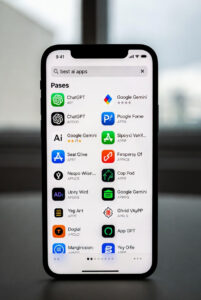
1. AI Chat & Assistant Apps
AI chat assistants have revolutionized how we interact with technology, offering conversational interfaces that can answer questions, help with tasks, provide creative inspiration, and serve as knowledgeable companions. These apps bring powerful language models to your iPhone, making advanced AI accessible wherever you go.
√ ChatGPT
Developer: OpenAI
Best For: General conversation, writing assistance, brainstorming, and problem-solving
ChatGPT was the app that introduced millions of people to conversational AI. The iPhone app delivers OpenAI’s powerful language models in a clean, intuitive interface that feels natural to use.
Key Features:
- Natural conversational interface for questions and tasks
- Voice conversation mode for hands-free interaction
- Image analysis capabilities (upload photos for analysis)
- Web browsing for current information (in paid tiers)
- Custom GPTs for specialized tasks
- Conversation history synced across devices
Pricing: Free tier available; ChatGPT Plus ($20/month) offers GPT-4, faster responses, and priority access
Strengths: Excellent for creative writing, coding help, explanations of complex topics, and brainstorming. The voice mode creates remarkably natural conversations.
Considerations: Free tier can have availability limitations during peak times. Requires internet connection for all features.
√ Claude
Developer: Anthropic
Best For: In-depth analysis, nuanced conversations, document work, and coding
Claude offers a thoughtful, detailed approach to AI assistance with a focus on helpful, harmless, and honest interactions. The app excels at longer conversations and complex reasoning tasks.
Key Features:
- Extended conversation capabilities with long context windows
- Document upload and analysis
- Code generation and debugging assistance
- Artifact creation for documents and visualizations
- Web search integration for current information
- Thoughtful, detailed responses
Pricing: Free tier available; Claude Pro offers extended usage and priority access
Strengths: Particularly strong at maintaining context over long conversations, analyzing documents, providing nuanced perspectives, and working through complex problems step-by-step.
Considerations: The interface prioritizes depth over speed, which some users prefer for substantive work.
√ Microsoft Copilot
Developer: Microsoft
Best For: Integration with Microsoft ecosystem, image generation, web-connected responses
Microsoft Copilot brings together ChatGPT’s technology with Microsoft’s services, offering a comprehensive AI assistant that connects to the web by default.
Key Features:
- Real-time web search integration
- DALL-E 3 image generation included
- Integration with Microsoft 365 (in paid tiers)
- Multiple conversation styles (Creative, Balanced, Precise)
- Voice input support
- Free access to GPT-4 technology
Pricing: Free for basic features; Copilot Pro ($20/month) adds Microsoft 365 integration
Strengths: Excellent for users already in the Microsoft ecosystem. Image generation is included at no extra cost, and web connectivity ensures current information.
Considerations: Interface can feel busier than competitors. Full benefits require Microsoft 365 subscription for enterprise features.
√ Google Gemini
Developer: Google
Best For: Google service integration, multimodal queries, quick lookups
Gemini is Google’s AI assistant, deeply integrated with Google’s ecosystem and designed to work seamlessly with Gmail, Docs, Drive, and other Google services.
Key Features:
- Integration with Google Workspace
- Real-time information from Google Search
- Multimodal understanding (text, images, eventually video)
- Multiple model tiers for different needs
- Voice interaction capabilities
- Free access to advanced models
Pricing: Free tier available; Google One AI Premium ($19.99/month) offers Gemini Advanced
Strengths: Natural integration with Google services makes it powerful for users invested in that ecosystem. Strong at current events and factual queries thanks to Search integration.
Considerations: Privacy-conscious users may have concerns about data usage. Feature availability varies by region.
√ Perplexity AI
Developer: Perplexity
Best For: Research, fact-finding, and questions requiring current information
Perplexity positions itself as an “answer engine” rather than just a chatbot, focusing on providing accurate, sourced responses with citations.
Key Features:
- Every response includes source citations
- Real-time web search integration
- Follow-up question suggestions
- Collections for organizing research
- Voice search capabilities
- Academic and technical research modes
Pricing: Free tier available; Perplexity Pro ($20/month) offers unlimited queries and advanced models
Strengths: Exceptional for research and fact-checking, as it provides transparent sources for its information. The citation system builds trust and allows verification.
Considerations: More focused on information retrieval than creative tasks or extended conversation.
2. AI Writing & Productivity Tools
The rise of AI has fundamentally changed how we approach writing and productivity on mobile devices. What once required a laptop and hours of effort can now be accomplished on your iPhone in minutes, with AI assistants helping you draft, refine, and polish everything from quick emails to comprehensive reports.
√ Grammar and Writing Assistants
Grammarly
Grammarly remains the gold standard for AI-powered writing assistance on iPhone. The app goes far beyond basic spell-checking, offering real-time suggestions for grammar, clarity, tone, and style. Its keyboard integration means you get intelligent writing help across all your iPhone apps—whether you’re composing emails, writing social media posts, or drafting documents.
The free version handles essential grammar and spelling, while Grammarly Premium adds advanced features like tone detection, word choice suggestions, and plagiarism checking. The AI analyzes your writing context to provide relevant suggestions, helping you sound more professional in work emails or more casual in personal messages.
ProWritingAid
For writers seeking deeper analysis, ProWritingAid offers comprehensive editing that examines your writing style, structure, and readability. The app provides detailed reports on sentence length variation, overused words, passive voice, and pacing—particularly valuable for long-form content creators, novelists, and bloggers.
Hemingway Editor
The Hemingway app brings its signature clarity-focused editing to iPhone. It highlights complex sentences, suggests simpler alternatives, and helps you write with the directness and punch that made Ernest Hemingway’s prose legendary. The app color-codes issues by severity, making it easy to spot where your writing gets dense or confusing.
√ Note-Taking with AI Features
Notion
Notion’s AI integration transforms it from a capable note-taking app into an intelligent workspace. Notion AI can summarize lengthy notes, generate content based on prompts, translate text, extract action items from meeting notes, and even help brainstorm ideas. The seamless integration means AI assistance is always just a tap away while you’re organizing your thoughts.
The app’s database functionality combined with AI makes it particularly powerful for managing projects, building knowledge bases, or maintaining a personal wiki that can answer questions about your own stored information.
Evernote
Evernote has incorporated AI to help you find information faster and work more efficiently. Its AI-powered search understands natural language queries, letting you ask questions like “what did I write about the marketing campaign last month?” instead of remembering exact keywords. The app can also suggest related notes and automatically categorize your content.
Craft
Craft combines beautiful design with AI writing assistance. The app helps you draft documents, generate ideas, and refine your writing while maintaining a clean, distraction-free interface. Its AI can adapt tone, expand on bullet points, or condense lengthy text—all while keeping your notes visually appealing and well-organized.
√ Email and Communication Tools
Superhuman
For professionals drowning in email, Superhuman brings AI-powered efficiency to your inbox. The app uses AI to automatically categorize emails, suggest responses, and help you maintain “Inbox Zero.” Its AI learns your email patterns and priorities, surfacing important messages while filtering noise.
Smart features include AI-written email summaries for long threads, suggested reply options that match your writing style, and predictive scheduling that finds optimal meeting times. The app’s speed and keyboard shortcuts make processing email remarkably fast, even on a mobile device.
Spark Mail
Spark uses AI to intelligently sort your email into categories like Personal, Notifications, and Newsletters, ensuring you see what matters most. The Smart Inbox learns from your behavior, adapting to surface emails that need your attention. Quick replies powered by AI can draft responses based on email content, saving time on routine correspondence.
Hey Email
Hey’s AI screening features help you decide which senders deserve inbox access and which should be filtered. While less AI-focused than some competitors, its intelligent design reduces email overwhelm through smart defaults and workflows that respect your attention.
√ Document Summarization Apps
TLDR This
When you’re faced with lengthy articles, reports, or documents, TLDR This extracts key points and generates concise summaries. The app can process text from various sources—paste in content, share from Safari, or upload documents. It identifies main ideas, key statistics, and important conclusions, perfect for research, news consumption, or processing work documents on the go.
Otter.ai
While primarily known for transcription, Otter.ai excels at summarizing meetings and conversations. It generates action items, identifies key topics, and creates searchable transcripts. The AI can distinguish between speakers and highlight important moments, making it invaluable for students, journalists, and business professionals who need to capture and distill spoken information.
Summarize Bot
This specialized app focuses on one task: turning long content into digestible summaries. It handles web articles, PDFs, and text documents with adjustable summary length. The AI preserves context and key information while dramatically reducing reading time.
√ All-in-One Productivity Suites
Microsoft 365 with Copilot
Microsoft’s Copilot integration across Word, Excel, PowerPoint, and Outlook brings enterprise-grade AI to iPhone productivity. In Word, Copilot can draft documents from prompts, rewrite sections for clarity, or generate summaries. Excel’s AI helps analyze data and create formulas, while PowerPoint can design presentations from simple outlines.
The cross-app intelligence means Copilot understands your work context, pulling information from emails, documents, and calendars to provide relevant assistance wherever you’re working.
Google Workspace AI
Google’s AI features in Docs, Sheets, and Gmail offer similar productivity boosts. “Help me write” in Gmail and Docs generates content from prompts, while Smart Compose suggests completions as you type. In Sheets, AI helps with formula creation and data analysis, making spreadsheet work more accessible on mobile.
Specialized Writing Tools
Copy.ai
For marketers and content creators, Copy.ai generates marketing copy, social media posts, product descriptions, and ad text. The app offers dozens of templates for different content types, each optimized through AI training on high-performing examples. While you’ll want to edit the output, it provides excellent starting points and helps overcome writer’s block.
Jasper
Jasper positions itself as an AI writing partner for businesses, offering brand voice customization and team collaboration features. The app can maintain consistent tone across content, remember your company’s messaging guidelines, and generate everything from blog posts to email campaigns aligned with your brand identity.
3. AI Image & Video Creation
The fusion of artificial intelligence and visual creativity has produced some of the most exciting apps available for iPhone. These tools enable anyone—regardless of artistic skill—to generate stunning images, edit photos with professional results, and create engaging videos with just a few taps.
√ AI Image Generators
DALL-E (via ChatGPT and Bing)
OpenAI’s DALL-E technology allows you to create original images from text descriptions. Available through the ChatGPT app and Microsoft’s Bing app, you can generate artwork, illustrations, and concept designs by simply describing what you want to see. The results range from photorealistic scenes to abstract art, making it valuable for creative brainstorming, social media content, or personal projects.
Midjourney Alternatives for iPhone
While Midjourney itself doesn’t have a native app, several iPhone applications bring similar AI art generation capabilities to your device. Apps like Starryai, Dream by WOMBO, and Wonder AI let you create artistic images using various AI models. Each offers different artistic styles, from oil paintings and watercolors to anime and cyberpunk aesthetics.
Stable Diffusion Mobile Apps
Applications leveraging Stable Diffusion technology, such as Draw Things and Mochi Diffusion, provide powerful image generation directly on your iPhone. These apps often allow more granular control over the generation process, including negative prompts, style mixing, and image-to-image transformations.
√ AI Photo Editing Apps
Photoshop Express & Firefly
Adobe’s mobile offerings integrate AI-powered features like intelligent object removal, sky replacement, and automated enhancement. The Firefly integration brings generative fill capabilities, allowing you to extend images, replace objects, or add elements that blend seamlessly with the original photo.
Lensa AI
Known for its viral “Magic Avatars” feature, Lensa uses AI to transform your selfies into artistic portraits across dozens of styles. Beyond avatars, it offers sophisticated photo editing tools including background blur, skin retouching, and artistic filters that understand facial features and scene composition.
Remini
Specializing in photo enhancement, Remini uses AI to sharpen blurry images, restore old photos, and upscale low-resolution pictures. It’s particularly effective at enhancing facial details in old family photos or improving the quality of images taken in poor lighting conditions.
Pixelcut
A comprehensive AI editing suite, Pixelcut excels at background removal, object detection, and template-based design. It’s popular among e-commerce sellers and social media creators for quickly producing professional-looking product photos and promotional graphics.
FaceApp
While sometimes controversial, FaceApp demonstrates impressive AI capabilities in facial manipulation. It can age or de-age faces, change hairstyles, add smiles, or apply makeup—all with remarkable realism. The technology showcases how AI understands facial structure and can make convincing transformations.
AI Video Creation & Editing
Runway ML
One of the most powerful AI video tools available on iPhone, Runway offers features like text-to-video generation, motion tracking, green screen removal, and AI-powered effects. It’s designed for creators who want professional results without professional equipment or extensive editing knowledge.
CapCut
ByteDance’s popular video editor integrates multiple AI features including auto-captions, background removal for videos, text-to-speech, and smart templates that automatically sync your clips to music. The app has become a favorite among TikTok and Instagram creators for its ease of use and powerful automation.
Descript
While primarily a transcription and podcast tool, Descript’s video editing capabilities are revolutionary. It allows you to edit video by editing text—the AI synchronizes your cuts with the transcript. Features like “Studio Sound” clean up audio quality, and “Overdub” can even generate synthetic voice to fix mistakes without re-recording.
InVideo AI
This app focuses on turning text prompts or scripts into complete videos with stock footage, voiceovers, music, and transitions. It’s particularly useful for creating explainer videos, social media content, or presentations without manually selecting and arranging clips.
√ AI Avatar & Portrait Creators
Dawn AI
Specializing in AI-generated self-portraits, Dawn creates artistic avatars from your photos in styles ranging from renaissance paintings to futuristic sci-fi. Each generation produces unique interpretations, making it fun for profile pictures or creative exploration.
Gencraft
This versatile app combines image generation with avatar creation, offering both realistic and stylized options. You can create consistent character designs or explore different artistic representations of yourself or imaginary subjects.
Picsart AI
Beyond traditional photo editing, Picsart’s AI features include avatar generation, artistic effects, and the ability to animate still images. The app provides a balance between creative AI tools and practical editing functions.
√ Specialized AI Visual Tools
Prisma
One of the pioneers in AI art filters, Prisma transforms photos into artworks mimicking famous painting styles. While simpler than newer generative AI tools, it remains popular for its curated artistic filters and reliable results.
Neural Cam
This app uses AI to enhance low-light photography, effectively creating a computational “night mode” even on older iPhones. It’s particularly useful for capturing clear images in challenging lighting conditions.
ClipDrop
Developed by Stability AI, ClipDrop offers a suite of AI tools including background removal, image upscaling, relighting, and cleanup (removing unwanted objects). Its AR feature lets you “clip” real-world objects with your camera and drop them into digital designs.
4. AI Voice & Audio Apps for iPhone
The intersection of artificial intelligence and audio technology has created some of the most practical and impressive apps available on iPhone. From turning spoken words into text with remarkable accuracy to generating entirely new musical compositions, AI voice and audio apps are transforming how we communicate, create, and consume audio content.
√ Voice Assistants Beyond Siri
While Siri comes built into every iPhone, third-party AI voice assistants offer different capabilities and conversational styles.
ChatGPT Voice Mode
The ChatGPT app includes a voice conversation feature that allows natural, back-and-forth spoken dialogue. Unlike traditional voice assistants that wait for wake words, you can have flowing conversations, interrupt mid-response, and discuss complex topics. It’s particularly useful for brainstorming, learning new concepts while walking, or getting detailed explanations hands-free.
Google Assistant
Google’s AI assistant brings the power of Google’s search and knowledge graph to your iPhone. It excels at answering factual questions, controlling smart home devices, and integrating with Google services like Calendar, Gmail, and Maps. The voice recognition is highly accurate across different accents and environments.
Amazon Alexa
The Alexa app extends Amazon’s ecosystem to your iPhone, useful if you have Echo devices or use Amazon services extensively. It handles shopping lists, smart home control, and can access thousands of third-party “skills” for everything from meditation to pizza ordering.
Transcription and Meeting Tools
AI-powered transcription has reached impressive accuracy levels, making these apps indispensable for professionals, students, and anyone who needs to capture spoken words.
Otter.ai
One of the most popular transcription apps, Otter uses AI to convert speech to text in real-time with impressive accuracy. It identifies different speakers, allows you to highlight and comment on transcripts, and generates automated summaries of meetings. The free tier offers 300 monthly minutes, while premium plans provide more capacity and features like custom vocabulary for industry-specific terms.
Rev Voice Recorder
Rev combines AI transcription with human editing options. The app records and transcribes automatically, and when AI isn’t sufficient for critical needs, you can order human-transcribed versions with 99% accuracy guaranteed. It’s popular among journalists, researchers, and legal professionals.
Whisper Transcription (various apps)
Several iPhone apps now integrate OpenAI’s Whisper model, which offers exceptional multilingual transcription capabilities. These apps can transcribe audio in dozens of languages and even translate between them. Look for apps like “Whisper Transcription” or “Whisper Notes” in the App Store.
Fireflies.ai
Designed specifically for meetings, Fireflies joins your video calls (Zoom, Teams, Google Meet) and automatically records, transcribes, and summarizes discussions. It creates action items, identifies key topics, and lets teams search through past meetings by keyword. This is particularly valuable for remote teams and anyone juggling multiple projects.
Just Press Record
A simpler, privacy-focused option that records and transcribes locally on your device when possible. It syncs across Apple devices via iCloud and supports transcription in over 30 languages. The one-time purchase model (no subscription) makes it appealing for occasional users.
√ AI Music Generators
Creating original music no longer requires years of training or expensive equipment—AI apps can now generate custom compositions tailored to your needs.
AIVA (AI Virtual Artist)
AIVA generates original music in various styles, from classical to electronic. You can specify mood, tempo, and instrumentation, making it useful for content creators who need royalty-free background music for videos, podcasts, or presentations. The AI composes complete pieces that sound surprisingly human.
Soundraw
This app lets you customize AI-generated music by adjusting length, tempo, and instruments. It’s particularly good for creating unique tracks that fit specific moods or video lengths. The interface is intuitive, with sliders and options that don’t require musical knowledge.
Endel
Rather than discrete songs, Endel creates personalized, adaptive soundscapes designed to help you focus, relax, or sleep. The AI considers factors like time of day, weather, heart rate (via Apple Watch), and your current activity to generate sound environments that support your mental state.
Boomy
Boomy takes a different approach by helping you create and release actual songs. The AI generates musical backing tracks based on your style preferences, you can add or modify elements, and the platform even handles distribution to streaming services. Some users have earned royalties from their AI-assisted creations.
√ Podcast and Audio Editors
AI is making audio editing accessible to everyone, not just professionals with expensive software and technical expertise.
Descript
While Descript is primarily known as a desktop app, its iPhone companion app is powerful for on-the-go editing. The revolutionary feature is text-based editing—you edit audio by editing the transcript. Delete a word from the text, and it’s removed from the audio. It also offers AI voice cloning (Overdub) to fix mistakes without re-recording, background noise removal, and filler word detection.
Adobe Podcast (formerly Project Shasta)
Adobe’s AI-powered audio tool makes recordings sound studio-quality by removing echo, background noise, and inconsistent levels. The “Speech Enhancement” feature is remarkably effective at cleaning up audio recorded in less-than-ideal conditions. While still emerging, it’s becoming essential for podcasters and content creators.
Krisp
Krisp uses AI to remove background noise from both your microphone and speakers during calls. It’s invaluable if you’re recording in noisy environments—coffee shops, busy homes, or while traveling. The noise cancellation works in real-time and integrates with most recording and calling apps.
Auphonic
This intelligent audio post-production service handles leveling, noise reduction, and file optimization automatically. Upload your raw podcast or voice recording, and Auphonic’s AI processes it to meet professional loudness standards. It’s particularly useful for maintaining consistent quality across podcast episodes.
√ Voice Cloning and Synthesis
AI voice technology has advanced to the point where synthetic voices sound natural and expressive.
ElevenLabs
ElevenLabs offers some of the most realistic AI voice synthesis available. You can generate speech in multiple languages and voices, or even clone your own voice with just a few minutes of sample audio. Content creators use it for audiobooks, video narration, and accessibility features. The ethical implications are significant, so the service includes safeguards against misuse.
Murf AI
Designed for creating voiceovers, Murf provides a library of professional-sounding AI voices. You can adjust pitch, speed, and emphasis, add pauses, and fine-tune pronunciation. It’s popular for e-learning content, presentations, and marketing videos where human voice actors might be cost-prohibitive.
Resemble AI
Resemble focuses on voice cloning for creative projects and business applications. The technology can create a synthetic version of your voice that responds naturally to new scripts, useful for content creators who need consistent narration across many videos or for companies creating voice assistants.
√ Language and Translation Tools
AI has dramatically improved real-time translation and language learning through voice.
Google Translate
Beyond text translation, Google Translate’s conversation mode allows real-time voice translation between dozens of languages. The AI interprets spoken words, translates them, and speaks the result in natural-sounding voices. It’s invaluable for travelers and cross-cultural communication.
iTranslate Voice
This specialized app focuses on voice-to-voice translation with support for over 40 languages. The interface is simple—speak in your language, and it translates and speaks in the target language. The AI handles different accents and speaking speeds reasonably well.
Speak
An AI-powered language learning app that emphasizes conversation practice. The AI tutor engages in spoken dialogue, corrects pronunciation, and adapts to your learning pace. It’s like having a patient conversation partner available 24/7.
5. AI for Learning & Education
Artificial intelligence is revolutionizing how we learn, study, and acquire new skills. Educational AI apps on iPhone offer personalized tutoring, instant explanations, language practice, and study assistance that adapts to your learning style and pace. Whether you’re a student tackling homework, a professional developing new skills, or a lifelong learner exploring new subjects, these apps can serve as knowledgeable companions on your educational journey.
√ Language Learning Apps
Duolingo
Duolingo has integrated AI to create personalized learning paths that adapt to your progress and learning patterns. The app uses machine learning to determine which lessons you need most and when to introduce new concepts. Its AI-powered chatbot feature, Duolingo Max, offers conversational practice with realistic dialogue scenarios, providing feedback on your responses and helping you practice real-world language use beyond simple vocabulary drills.
Speak
Speak focuses specifically on conversational language practice using advanced speech recognition and AI tutoring. The app listens to your pronunciation, provides immediate feedback, and creates practice scenarios tailored to your skill level. It’s particularly valuable for learners who want to improve speaking confidence without the pressure of practicing with a human tutor initially.
Memrise
Combining spaced repetition with AI-generated content, Memrise offers immersive language learning with videos from native speakers and AI-powered practice sessions. The app analyzes your retention patterns and adjusts review timing to maximize long-term memory formation.
√ Study and Homework Helpers
Socratic by Google
Socratic transforms your iPhone’s camera into a powerful learning tool. Simply photograph a question from your homework, and the app uses visual recognition and AI to understand the problem and provide step-by-step explanations. It covers subjects including mathematics, science, literature, social studies, and more. Rather than just giving answers, Socratic breaks down concepts to help you understand the underlying principles.
Photomath
Specializing in mathematics, Photomath uses computer vision to read handwritten or printed math problems and provides detailed solution steps. The app explains each step of the solving process, helping you understand methodology rather than just memorizing answers. It covers arithmetic through calculus and includes graphing capabilities for visualizing functions.
Quizlet
Quizlet has enhanced its flashcard platform with AI features that generate practice questions, create study guides from your notes, and adapt difficulty based on your performance. The AI tutor feature, Q-Chat, offers personalized explanations and can answer questions about your study material in a conversational format.
Gauth (formerly Gauthmath)
This app provides AI-powered solutions for math, science, and other subjects. You can photograph problems or type questions, and the AI provides explanations with step-by-step breakdowns. It also connects you with human tutors when you need additional support beyond what the AI can provide.
√ Skill Development Tools
Khan Academy
Khan Academy’s AI assistant, Khanmigo, offers personalized tutoring across numerous subjects. The AI adapts to your learning pace, identifies knowledge gaps, and suggests targeted practice. It can serve as a debate partner, writing coach, or study companion, asking Socratic questions to deepen your understanding rather than simply providing answers.
Brilliant
Brilliant offers interactive lessons in math, science, computer science, and more, with AI that adapts problem difficulty based on your performance. The app emphasizes hands-on problem-solving and guides you through complex concepts with bite-sized, interactive exercises that build on each other progressively.
Coursera & edX
Both platforms have integrated AI features that recommend courses based on your interests and career goals, provide automated assignment feedback, and offer personalized learning paths. Their AI assistants can answer questions about course material and help you navigate complex topics.
DataCamp
For those learning data science, programming, or analytics, DataCamp uses AI to create personalized learning tracks, provide code review feedback, and suggest exercises that target your specific weak points. The interactive coding environment lets you practice directly on your iPhone with immediate AI-generated feedback.
√ Research Assistants
Perplexity AI
While primarily a search and question-answering tool, Perplexity excels as a research assistant for students. It searches multiple sources, synthesizes information, and provides citations for its answers. This makes it valuable for research papers, fact-checking, and exploring topics in depth with follow-up questions.
Consensus
Consensus specializes in academic research, using AI to search through scientific papers and extract key findings. It’s particularly useful for students working on research projects or anyone needing evidence-based information. The app summarizes findings from multiple peer-reviewed sources and highlights scientific consensus on topics.
ChatPDF
Upload research papers, textbooks, or other PDFs, and this app lets you ask questions about the content. The AI reads and analyzes the document, then answers your questions by referencing specific sections. It’s excellent for efficiently extracting information from lengthy academic papers or study materials.
Notion AI
Notion’s AI features help students organize research notes, generate summaries of reading materials, and create study guides from lecture notes. The AI can help brainstorm ideas, outline essays, and even translate content between languages, making it a versatile research companion.
√ AI-Powered Reading & Comprehension
Speechify
This text-to-speech app uses AI-generated natural-sounding voices to read textbooks, articles, and documents aloud. It’s helpful for auditory learners, students with reading difficulties, or anyone who wants to consume written content while multitasking. The app adjusts reading speed and can even summarize long documents.
Blinkist
Blinkist uses AI to create condensed versions of non-fiction books, delivering key insights in 15-minute reads or listens. While not a replacement for full reading, it’s useful for previewing books, reviewing key concepts, or exploring topics when time is limited.
QuillBot
Though primarily known for paraphrasing, QuillBot’s educational features include summarization, citation generation, and grammar checking. Students can use it to understand complex passages by seeing them rephrased in simpler language, though it should be used as a learning aid rather than for submitting work.
6. AI Apps for Creative Professionals For iPhone
The creative industry has been transformed by AI technology, with iPhone apps now offering professional-grade tools that fit in your pocket. Whether you’re a designer, writer, photographer, marketer, or developer, AI can enhance your workflow, spark inspiration, and handle time-consuming tasks so you can focus on what matters most: your creative vision.
√ Design and Art Tools
Procreate Dreams & Procreate
While Procreate itself predates the AI boom, recent updates have integrated intelligent features like automatic animation assistance and smart shape recognition. The app remains the gold standard for digital illustration on iPad, with iPhone companion features for sketching and ideation on the go.
Adobe Creative Cloud Mobile Apps
Adobe has embedded its Firefly AI across mobile apps including Photoshop Express, Lightroom, and Adobe Express. These tools offer generative fill, AI-powered object removal, automatic background replacement, and intelligent color grading. The seamless sync with desktop workflows makes them essential for professionals already in the Adobe ecosystem.
Canva: Design, Photo & Video
Canva’s iPhone app brings AI-powered design assistance to mobile creators. Features include Magic Write for copy generation, Background Remover, Magic Eraser, and text-to-image generation. The app excels at social media content creation with templates optimized for every platform and AI suggestions for layouts and color schemes.
Vectornator (now Linearity Curve)
This vector design app uses AI for auto-tracing bitmap images into vectors, intelligent shape suggestions, and layout recommendations. It’s particularly valuable for logo designers and illustrators who need professional vector tools while mobile.
Khroma – AI Color Palette Generator
Khroma learns your color preferences and generates unlimited custom palettes. For designers who struggle with color theory or need fresh inspiration, this specialized tool can accelerate the design process significantly.
√ Content Creation Apps
CapCut
This video editing powerhouse offers AI-driven features like automatic captions with impressive accuracy, background removal without green screens, text-to-speech in multiple voices, and auto-reframe that intelligently crops videos for different aspect ratios. It’s become indispensable for content creators across TikTok, Instagram, and YouTube.
Descript
Originally a transcription tool, Descript has evolved into a comprehensive audio and video editor. Its iPhone app allows you to edit podcasts and videos by editing text transcripts, remove filler words with one tap, and even clone your voice for corrections. The Overdub feature can generate new audio in your voice from typed text.
InVideo AI
This app turns text prompts into complete videos with stock footage, voiceovers, music, and transitions. Content creators can generate explainer videos, social media content, or promotional materials by simply describing what they need.
Runway ML
Runway brings cutting-edge AI video tools to iPhone, including green screen effects, motion tracking, and style transfer that can make your footage look like it was painted by famous artists. The app is constantly adding new AI models for creative video manipulation.
√ Marketing and Social Media Assistants
Copy.ai
This writing assistant specializes in marketing copy, generating product descriptions, ad copy, social media posts, and email campaigns. The iPhone app lets marketers create content on the go, with templates for dozens of use cases and the ability to match your brand voice.
Jasper AI
Jasper (formerly Jarvis) offers advanced marketing content generation with brand voice customization. The app can create blog post outlines, meta descriptions, headlines, and full articles while maintaining consistency with your company’s tone and messaging guidelines.
Lately AI
This tool analyzes your long-form content (podcasts, videos, blogs) and automatically generates dozens of social media posts. It learns which posts perform best and adapts its output accordingly, making it valuable for social media managers handling multiple accounts.
Buffer with AI Assistant
Buffer has integrated AI writing assistance directly into its scheduling platform. The iPhone app can generate post variations, suggest optimal posting times, and help repurpose content across different social platforms.
Brand24 & Brandwatch
These social listening tools use AI to monitor brand mentions, analyze sentiment, and identify trending topics relevant to your industry. The insights help marketers stay ahead of conversations and respond to emerging opportunities or crises.
√ Code and Development Tools
GitHub Copilot
Now available on iPhone through GitHub’s mobile app and compatible code editors, Copilot suggests entire functions, writes boilerplate code, and helps debug issues. It’s trained on billions of lines of public code and can work in dozens of programming languages.
Replit Mobile
Replit brings a full development environment to iPhone with AI pair programming through Ghostwriter. You can write, run, and deploy code directly from your phone, with AI assistance for code completion, generation, and explanation.
Tabnine
This AI code completion tool integrates with various mobile code editors and learns from your coding patterns to provide highly personalized suggestions. It works offline after initial training, making it reliable even without constant internet connectivity.
CodeSnack IDE
A mobile-first coding environment with built-in AI assistance for learning and writing code. It’s particularly useful for developers who want to sketch out ideas or fix urgent issues while away from their desktop.
ChatGPT & Claude for Coding
General-purpose AI assistants have become invaluable coding companions. Developers use these apps to explain complex code, generate functions, debug errors, write documentation, and learn new programming concepts through conversational interfaces.
√ AI-Powered Asset Libraries
Artbreeder
This collaborative tool lets you blend and evolve images using AI. Designers can create unique character portraits, landscapes, and abstract art by mixing existing images and adjusting parameters. It’s excellent for concept art and creative exploration.
Remove.bg
A specialized tool that uses AI to remove backgrounds from images with remarkable accuracy. Essential for product photographers, graphic designers, and anyone who regularly needs clean cutouts without manual masking.
Topaz Labs Apps
Topaz offers several specialized AI apps including Photo AI (noise reduction and sharpening), Gigapixel AI (upscaling), and Video AI (enhancement and frame interpolation). These tools help professionals rescue low-quality source material or prepare assets for high-resolution output.
√ Workflow Integration & Automation
Zapier with AI Features
Zapier now incorporates AI to suggest automation workflows based on your connected apps and common use cases. The iPhone app lets creative professionals automate repetitive tasks like file organization, client communications, and content distribution.
Notion AI
Notion’s AI assistant helps organize creative projects, generate brainstorming ideas, summarize meeting notes, and create content templates. For creative teams, it serves as both project management hub and intelligent collaborator.
Airtable with AI
Airtable has integrated AI features for data analysis, content generation, and workflow automation. Creative agencies use it to manage client projects, track campaign performance, and generate reports automatically.
7. AI Health & Wellness Apps for iPhone
Artificial intelligence is revolutionizing how we approach personal health and wellness, offering personalized guidance, real-time feedback, and intelligent tracking that adapts to your unique needs. These apps combine the convenience of your iPhone with sophisticated AI to help you achieve your fitness goals, improve mental health, optimize nutrition, and build better habits.
√ Fitness and Exercise Coaches
Fitbod
This intelligent workout planner uses machine learning to create personalized strength training routines based on your available equipment, fitness level, and goals. The app learns from your previous workouts and adapts your training plan accordingly, ensuring progressive overload and balanced muscle development. It tracks your recovery status and suggests exercises that target underworked muscle groups.
Freeletics
Combining AI coaching with bodyweight and equipment-based workouts, Freeletics creates adaptive training plans that evolve with your progress. The AI coach analyzes your performance, adjusts intensity levels, and provides motivational feedback. The app offers personalized running plans alongside strength training routines.
Vi Trainer (formerly LifeBEAM Vi)
This app works with AI-powered headphones to provide real-time audio coaching during runs and workouts. The AI analyzes your heart rate, pace, and cadence to offer personalized guidance and encouragement, adjusting your training in real-time based on your performance.
Aaptiv
Featuring AI-curated audio-based workouts led by certified trainers, Aaptiv personalizes workout recommendations based on your preferences, goals, and fitness level. The app includes strength training, running, cycling, yoga, and meditation sessions with adaptive programming.
JEFIT
This comprehensive workout tracker uses AI to analyze your training patterns and suggest optimal rest periods, exercise sequences, and progressive overload strategies. It offers detailed analytics on your strength gains and muscle group development over time.
√ Mental Health and Meditation
Wysa
An AI-powered mental health chatbot that provides immediate emotional support through evidence-based techniques including CBT, DBT, and mindfulness. Wysa offers guided conversations, mood tracking, and therapeutic exercises while maintaining complete anonymity. The app can help with anxiety, depression, stress, and sleep issues.
Woebot
Built on cognitive behavioral therapy principles, Woebot is an AI therapist that engages in daily conversations to help you identify negative thought patterns and develop healthier coping strategies. The chatbot checks in regularly, teaches emotional regulation techniques, and tracks your mood over time.
Youper
This AI assistant combines mood tracking with conversational therapy, using techniques from CBT and mindfulness to help manage anxiety and depression. Youper asks thoughtful questions to help you understand your emotions and provides personalized meditation exercises based on your current state.
Headspace
While primarily known for guided meditation, Headspace now incorporates AI features that personalize meditation recommendations based on your stress levels, sleep patterns, and emotional state. The app adapts content suggestions to your progress and preferences.
Calm
Similar to Headspace, Calm uses intelligent algorithms to recommend meditation sessions, sleep stories, and breathing exercises tailored to your usage patterns and stated goals. The app learns which types of content help you most effectively.
Replika
An AI companion designed to provide emotional support through conversation. While not a replacement for professional therapy, Replika can help with loneliness, provide a judgment-free space to express feelings, and practice social interactions.
√ Nutrition and Diet Planning
Noom
This weight loss app uses AI to provide personalized coaching, tracking not just what you eat but why you eat it. The program focuses on psychological aspects of eating behavior and uses color-coded food systems to help build sustainable habits. AI coaches provide daily lessons and respond to your progress.
Ate Food Journal
Rather than counting calories, Ate uses photo-based food tracking with AI analysis to help you become mindful of eating patterns. The app recognizes food items and provides insights about your eating habits over time without the stress of detailed macro tracking.
Lifesum
Combining meal planning with AI-driven insights, Lifesum creates personalized nutrition plans based on your dietary preferences, health goals, and lifestyle. The app offers recipe suggestions, tracks water intake, and provides macro breakdowns with intelligent recommendations.
PlateJoy
Using AI to generate customized meal plans, PlateJoy considers your dietary restrictions, cooking skill level, household size, and available time. The app creates shopping lists and adjusts recipes based on your feedback and preferences.
HealthifyMe
Popular in many markets, this app combines AI coaching with nutrition tracking and fitness guidance. The AI coach Ria provides personalized recommendations, answers nutrition questions, and helps you stay accountable to your goals.
Foodvisor
This app uses AI image recognition to identify foods from photos and automatically calculate nutritional information. Simply snap a picture of your meal, and the app analyzes ingredients and portion sizes to track calories and macros.
Sleep and Habit Tracking
Sleep Cycle
Using AI to analyze your sleep patterns through sound or movement, Sleep Cycle wakes you during your lightest sleep phase within a customizable window. The app tracks sleep quality, snoring, and environmental factors, providing insights into what affects your rest.
SleepScore
This app uses sonar technology and AI to track your sleep without wearables, analyzing breathing patterns and movements. It provides personalized recommendations for improving sleep quality based on your unique patterns and lifestyle factors.
Rise Sleep
Focused on understanding your sleep debt and circadian rhythm, Rise uses AI to predict your energy levels throughout the day and recommend optimal times for important tasks, exercise, and sleep. The app helps you align activities with your natural biological rhythms.
AutoSleep
For Apple Watch users, AutoSleep automatically tracks sleep quality using AI to detect sleep and wake times without requiring you to set sleep mode. It provides deep analytics on sleep stages, heart rate, and readiness scores.
Habitica
Gamifying habit formation, Habitica uses AI elements to adapt challenges and rewards based on your progress. While not purely AI-driven, it employs intelligent systems to keep you motivated and engaged with your wellness goals.
Streaks
This habit-tracking app uses intelligent reminders and completion tracking to help you build consistent routines. It integrates with Apple Health to automatically track certain habits like exercise or water intake.
Fabulous
A science-based habit builder that uses AI coaching to guide you through establishing morning routines, increasing energy, and improving overall wellness. The app adapts its recommendations based on your progress and challenges.
Integrated Health Platforms
Apple Health (Native)
While not a third-party app, Apple Health increasingly incorporates AI features to analyze trends across multiple health metrics, provide insights, and alert you to concerning patterns. It serves as a central hub for data from various health apps and devices.
MyFitnessPal
One of the most comprehensive health apps, MyFitnessPal now uses AI for food recognition, barcode scanning, and personalized nutrition insights. The massive food database combined with machine learning provides accurate tracking with minimal effort.
Welltory
This app analyzes heart rate variability using AI to assess your stress levels, energy reserves, and recovery status. It provides personalized recommendations for when to push harder in workouts or when to prioritize rest.
8. AI Business & Finance Tools
Artificial intelligence is revolutionizing how entrepreneurs, professionals, and individuals manage their business operations and financial lives. These iPhone apps leverage AI to automate tedious tasks, provide intelligent insights, and help you make smarter financial decisions—all from the convenience of your mobile device.
√ Financial Analysis Apps
Cleo
Cleo takes a conversational approach to personal and business finance management. This AI chatbot analyzes your spending patterns, provides budgeting advice, and offers personalized financial insights. For small business owners managing both personal and business finances, Cleo can help identify spending trends, suggest savings opportunities, and even predict upcoming cash flow issues before they become problems.
Magnifi
This AI-powered investment assistant helps analyze stocks, ETFs, and market trends using natural language queries. You can ask questions like “What are the best renewable energy stocks?” or “Show me dividend-paying tech companies,” and Magnifi’s AI will analyze thousands of securities to provide relevant recommendations. It’s particularly useful for business owners looking to invest company profits or individuals building investment portfolios.
PocketSmith
PocketSmith uses AI to forecast your financial future based on your current income, expenses, and saving patterns. The app can project cash flow up to 30 years ahead, helping business owners plan for expansion, retirement, or major purchases. Its AI algorithms learn from your transaction history to provide increasingly accurate predictions over time.
Fidelity Spire
Fidelity’s AI-powered financial planning app helps you set and achieve financial goals through intelligent automation. The app analyzes your spending, suggests optimal savings strategies, and adjusts recommendations as your financial situation changes. For business owners, it can help balance personal financial goals with business reinvestment needs.
√ Invoice and Expense Tools
Expensify
Expensify’s AI technology has transformed expense reporting from a dreaded chore into a nearly automatic process. The app uses SmartScan technology to extract data from receipts instantly—just snap a photo and the AI captures merchant name, date, amount, and even categorizes the expense. For businesses, it can automatically create expense reports, track mileage, and integrate with accounting software like QuickBooks and Xero.
QuickBooks Online
QuickBooks leverages AI to automate bookkeeping tasks for small businesses. The app can automatically categorize transactions, match receipts to expenses, and even predict cash flow based on historical patterns. Its AI assistant can answer questions about your business finances in plain English, like “How much did I spend on marketing last quarter?” The mileage tracking feature uses GPS and AI to automatically log business trips.
Wave
Wave offers free AI-powered accounting software perfect for freelancers and small businesses. The AI automatically imports and categorizes bank transactions, generates financial reports, and helps with invoicing. While the core features are free, Wave’s AI learns your business patterns over time, making categorization and financial tracking increasingly accurate.
Zoho Expense
Zoho’s expense management solution uses AI to scan receipts, auto-fill expense details, and detect duplicate submissions. The intelligent analytics feature identifies spending patterns and policy violations, helping businesses maintain better expense control. It integrates seamlessly with other Zoho business tools for comprehensive business management.
FreshBooks
FreshBooks combines invoicing, expense tracking, and time management with AI capabilities. The app can automatically track billable hours, send invoice reminders, and provide insights into which clients are most profitable. Its AI-powered expense categorization makes tax preparation significantly easier for freelancers and small business owners.
√ Customer Service Solutions
Intercom
While Intercom’s full platform is web-based, its iPhone app brings AI-powered customer service capabilities to your mobile device. The AI chatbot, Fin, can handle common customer inquiries automatically, freeing up your time for more complex issues. You can monitor conversations, jump in when needed, and let AI handle routine questions about pricing, features, or account management.
Zendesk
Zendesk’s mobile app incorporates AI to help businesses provide better customer support on the go. The AI suggests relevant help articles to customers before they even contact support, and provides agents with recommended responses based on previous successful interactions. For small business owners, this means you can deliver professional customer service even when you’re away from your desk.
HubSpot
HubSpot’s CRM app uses AI to score leads, predict deal closures, and automate follow-up tasks. The AI analyzes customer interactions across email, calls, and meetings to suggest the best next actions. For sales professionals and business owners, this intelligence helps prioritize efforts on the most promising opportunities.
√ AI-Powered Analytics and Insights
Tableau Mobile
Tableau brings powerful business intelligence to your iPhone with AI-driven insights. The app can automatically highlight important trends in your data, answer questions in natural language, and alert you to anomalies. Business owners can monitor key metrics and receive AI-generated explanations of what’s driving changes in their business.
Microsoft Power BI
Power BI’s mobile app leverages AI to provide business insights through natural language queries. You can ask questions about your business data conversationally and receive visualized answers. The AI can also proactively notify you of significant changes or trends in your business metrics.
Domo
Domo‘s business intelligence app uses AI to democratize data access for everyone in your organization. The AI assistant can answer business questions, create custom reports, and even predict future trends based on historical data. It’s particularly valuable for business owners who need quick insights without becoming data science experts.
√ Specialized Business AI Tools
Grammarly Business
Beyond basic writing correction, Grammarly Business uses AI to ensure all company communications maintain a consistent brand voice and tone. The app analyzes context to provide suggestions that align with your business’s style guide, making it invaluable for teams that need professional, on-brand communication.
Fireflies.ai
This AI meeting assistant automatically records, transcribes, and summarizes your business calls and video meetings. The AI identifies speakers, extracts action items, and integrates with your CRM to automatically log call notes. For busy professionals conducting business from their iPhone, it ensures no important details are lost.
Copy.ai
Designed for marketing and sales professionals, Copy.ai generates business content ranging from email sequences to ad copy. The iPhone app allows you to create professional marketing materials on the go, with AI templates optimized for different business goals and industries.
9. AI Apps For iPhone for Daily Life
Artificial intelligence isn’t just for professionals and tech enthusiasts—it’s increasingly woven into everyday tasks that make life simpler, more organized, and even more enjoyable. These AI apps tackle the mundane challenges we all face, from deciding what to cook for dinner to planning a weekend getaway or finding the best deals while shopping.
√ Smart Shopping Assistants
Price Tracking and Deal Finders
AI-powered shopping apps have transformed how we make purchasing decisions. These tools scan millions of products, track price histories, and alert you when items drop to their lowest prices. Apps like Honey and Capital One Shopping use machine learning to automatically apply coupon codes at checkout, while others predict future price drops based on historical patterns.
Some shopping assistants go further by understanding your preferences and budget constraints. They can suggest alternatives to products you’re viewing, compare features across brands, and even warn you about potential quality issues based on review analysis. The AI learns from your browsing and purchasing behavior to surface deals that genuinely match your interests rather than generic promotions.
Visual Search and Style Recommendations
Modern shopping apps let you photograph items you see in the real world and instantly find where to buy them online. This visual search capability uses computer vision to identify products, patterns, and styles. Fashion-focused apps can analyze your existing wardrobe and suggest new pieces that complement what you already own, creating complete outfits based on your personal style and upcoming weather.
Grocery and Comparison Shopping
AI shopping assistants can manage your grocery lists, suggest recipes based on what’s on sale, and even compare unit prices across stores to maximize savings. Some apps learn your regular purchases and predict when you’ll need to restock essentials, adding them to your list automatically.
√ Travel Planning Tools
Personalized Itinerary Builders
Travel planning apps powered by AI have revolutionized trip preparation. Instead of spending hours researching destinations and creating spreadsheets, you can describe your travel preferences, budget, and interests, and receive complete itineraries in minutes. These tools consider factors like travel time between locations, opening hours, seasonal events, and even your typical energy levels throughout the day.
Apps like Tripnotes, Layla, and AI-enhanced versions of traditional travel platforms can adjust plans on the fly. If your flight is delayed or you discover you hate museums, the AI reorganizes your entire schedule while maintaining logical flow and maximizing your experience.
Smart Flight and Hotel Booking
AI travel assistants monitor flight and hotel prices across hundreds of websites, predicting the optimal time to book based on historical data and current trends. They can alert you to price drops, suggest alternative airports or dates that could save significant money, and even rebook automatically when prices fall after your initial purchase.
Some tools use natural language processing to understand complex requests like “find me a family-friendly hotel near the beach in Portugal under $150 per night with free breakfast” and return curated options rather than overwhelming you with hundreds of possibilities.
Real-Time Travel Assistance
Once you’re traveling, AI apps serve as knowledgeable local guides. They can translate signs and menus through your camera, recommend restaurants based on your dietary restrictions and taste preferences, suggest less crowded times to visit attractions, and help you navigate public transportation in foreign cities. Some apps even provide cultural context and historical information about landmarks as you encounter them.
√ Recipe and Cooking Apps
AI-Powered Recipe Recommendations
Cooking apps have evolved from simple recipe databases to intelligent assistants that understand your skill level, available ingredients, dietary needs, and flavor preferences. You can photograph the contents of your refrigerator, and AI will suggest complete meals you can make right now, minimizing food waste and decision fatigue.
These apps learn from your ratings and cooking history to refine recommendations over time. If you consistently skip recipes with mushrooms or love anything with garlic, the AI adjusts accordingly. Some tools can even modify recipes on the fly—scaling ingredients for different serving sizes, suggesting substitutions for allergens, or adjusting cooking times for different equipment.
Meal Planning and Nutrition Tracking
AI meal planners create weekly menus that balance nutrition, variety, and your schedule. They know which recipes have overlapping ingredients to reduce shopping complexity and can accommodate preferences like “quick weeknight dinners” or “impressive weekend brunches.” The apps generate consolidated shopping lists organized by store section.
For those tracking nutrition, AI apps analyze meals and suggest adjustments to meet specific goals—whether you’re managing macros, reducing sodium, or increasing protein intake. They can identify nutritional gaps in your diet and recommend foods to fill them.
Cooking Guidance and Technique Coaching
Advanced cooking apps offer real-time assistance as you prepare meals. Using voice interaction, you can ask questions while your hands are messy, get timer reminders for multiple dishes cooking simultaneously, and receive troubleshooting advice when something goes wrong. Some apps use computer vision to watch your cooking technique and provide feedback, helping you improve skills like knife work or achieving perfect caramelization.
√ Home and Organization Apps
Smart Home Management
AI apps that control smart home devices have become increasingly sophisticated. Rather than manually adjusting thermostats, lights, and appliances, AI learns your routines and preferences to automate your environment. It knows to warm the house before you wake up, dim lights for movie time, and adjust settings based on who’s home.
These systems can predict maintenance needs, alert you to unusual energy consumption that might indicate problems, and optimize efficiency to reduce utility bills. Voice-controlled AI assistants tie everything together, letting you control your entire home through natural conversation.
Cleaning and Maintenance Schedules
Organization apps use AI to create personalized cleaning schedules based on your home’s size, your lifestyle, and your standards. They send reminders for tasks you might forget, like changing air filters or cleaning gutters, and can coordinate with smart appliances to schedule maintenance automatically.
Some apps photograph your spaces and use computer vision to suggest organization improvements, identifying clutter patterns and recommending storage solutions tailored to your specific items and available space.
Task Management and Personal Assistants
AI-enhanced to-do apps go beyond simple lists. They understand context, prioritize tasks based on deadlines and importance, and suggest optimal times to tackle different activities based on your energy patterns and calendar. They can break down large projects into manageable steps and adjust timelines when unexpected tasks arise.
Personal assistant apps can handle routine administrative tasks like scheduling appointments, sending follow-up emails, and managing subscriptions. They learn your communication style and preferences to handle increasingly complex requests with minimal supervision.
Document Organization and Scanning
AI document apps transform your phone into a powerful scanner that automatically detects document edges, corrects perspective, enhances readability, and extracts text for searching. They can categorize documents automatically—recognizing receipts, bills, contracts, and other document types—and file them appropriately.
Advanced features include extracting key information from receipts for expense tracking, identifying action items in scanned notes, and even translating documents into other languages while preserving formatting.
Future of AI on iPhone
The intersection of artificial intelligence and iPhone technology is entering an exciting new phase. What once seemed like distant possibilities are rapidly becoming everyday realities, and the next few years promise transformations in how we interact with our devices.
Apple’s AI Integration: Apple Intelligence
Apple has begun weaving AI deeply into iOS itself with Apple Intelligence, a suite of features that represents the company’s vision for practical, privacy-focused AI. Unlike standalone apps, these capabilities are baked directly into the operating system:
Writing Tools Everywhere – System-wide AI assistance helps you rewrite, proofread, and summarize text across any app. Whether you’re composing an email, editing a document, or crafting a message, intelligent suggestions appear contextually.
Enhanced Siri – Apple is transforming Siri from a simple voice assistant into a more conversational, context-aware companion. Future iterations promise better understanding of natural language, the ability to take actions across multiple apps, and awareness of what’s on your screen.
Image Intelligence – Built-in features for image generation, advanced photo editing with natural language commands, and visual search that understands context are becoming standard iPhone capabilities rather than requiring separate apps.
On-Device Processing – Apple’s emphasis on privacy means many AI features run directly on your iPhone using the Neural Engine in Apple Silicon chips, rather than sending data to cloud servers. This approach offers both speed and security.
Emerging Trends to Watch
Multimodal AI Everywhere – The future isn’t just about text or images separately. Apps are increasingly combining vision, voice, and text understanding seamlessly. Imagine pointing your camera at a broken appliance while asking how to fix it, and receiving step-by-step video instructions tailored to your specific model.
Personalized AI Agents – We’re moving beyond general-purpose assistants toward AI that learns your preferences, routines, and working style. These agents will proactively suggest actions, automate repetitive tasks, and adapt their behavior based on your feedback over time.
Real-Time Translation and Accessibility – AI-powered translation is becoming instantaneous and accurate enough for natural conversations. Future iPhones may eliminate language barriers entirely, with live translation during phone calls, video chats, and in-person conversations. Similarly, accessibility features powered by AI will make iPhones more usable for people with visual, hearing, or mobility challenges.
AI-Powered Privacy Features – Ironically, AI itself will become a privacy tool. Expect features that detect phishing attempts, identify suspicious behavior in apps, automatically redact sensitive information from screenshots, and alert you when apps access data inappropriately.
Augmented Reality Integration – As AR glasses and headsets mature, AI on iPhone will power immersive experiences. Your phone’s AI could identify objects in your environment, overlay contextual information, or enable collaborative virtual workspaces.
The App Ecosystem Evolution
Specialized AI Tools – While general chatbots grab headlines, the real innovation is happening in niche applications. We’re seeing AI that diagnoses plant diseases, helps architects visualize building modifications in real-time, assists musicians with composition, and enables solo entrepreneurs to create professional marketing campaigns.
AI-First Design – Future apps won’t just add AI features as an afterthought. They’ll be designed from the ground up around AI capabilities, with interfaces that expect natural language input and workflows that leverage prediction and automation.
Collaborative AI – Multiple AI models working together within single apps will become common. One AI might generate content while another fact-checks it, and a third optimizes it for your specific audience—all happening seamlessly in seconds.
Edge AI Expansion – As iPhone chips become more powerful, expect more sophisticated AI models running entirely on-device. This means features that work offline, respond instantly, and never send your data anywhere.
Hardware Developments
Neural Engine Advancement – Each new iPhone generation brings significant improvements to the Neural Engine, Apple’s dedicated AI processing hardware. Future iPhones may dedicate even more silicon to AI tasks, enabling real-time video generation, instant language translation, and complex reasoning without cloud dependence.
Battery and Thermal Management – AI processing is energy-intensive. Expect innovations in battery technology and thermal design that allow iPhones to run powerful AI models continuously without overheating or draining quickly.
Camera and Sensor Integration – Future iPhone cameras won’t just capture better images—they’ll understand what they’re seeing in real-time, enabling applications from instant product identification to medical diagnostics assistance.
Challenges and Considerations
Computational Limits – Despite rapid progress, smartphones have physical constraints. The most powerful AI models may still require cloud processing, creating tensions between capability and privacy.
Subscription Fatigue – As AI apps proliferate, users face an overwhelming number of subscriptions. The market may consolidate around a few comprehensive platforms, or Apple might bundle AI features into its services.
Quality Control – AI-generated content can be impressive but isn’t always accurate. The challenge for developers is building trust and helping users verify AI outputs, especially for important decisions.
Ethical AI Development – Questions around bias, transparency, and appropriate use cases will shape which AI features succeed. Apps that prioritize ethical considerations and user control will likely earn greater trust and adoption.
What This Means for Users
Lower Barriers to Creation – You won’t need specialized skills to produce professional-quality content, code, music, or designs. The iPhone in your pocket will become a creative studio, coding environment, and production facility.
Ambient Computing – AI will anticipate your needs and fade into the background. Your iPhone might automatically prepare a summary of your day ahead, draft responses to messages based on your typical style, or adjust settings based on your context—all without explicit commands.
Democratized Expertise – Access to expert-level knowledge in various fields will become universal. Legal guidance, medical information, financial planning, and technical troubleshooting will be available conversationally through your iPhone.
New Privacy Paradigms – You’ll need to develop new habits around AI usage, understanding which apps process data locally versus in the cloud, and being mindful about what information you share with AI systems.
The Road Ahead
The future of AI on iPhone isn’t about replacing human capability—it’s about augmentation. Your iPhone will become less of a tool you actively use and more of an intelligent companion that understands context, anticipates needs, and seamlessly handles routine cognitive tasks.
We’re transitioning from an era where you tell your iPhone exactly what to do, to one where you describe what you want to achieve and it figures out the steps. This shift from commands to conversations, from apps to agents, represents perhaps the most significant change in mobile computing since the touchscreen.
The iPhone you’ll carry in three to five years will feel less like a device and more like a collaborator—one that knows your work style, protects your privacy, and helps you accomplish things that today would require a team of specialists.
The AI revolution on iPhone isn’t coming—it’s already here, accelerating rapidly, and reshaping what’s possible with the device in your pocket.
Conclusion On Best AI Apps For iPhone Users Freely
The AI revolution has transformed the iPhone from a communication device into an intelligent companion capable of understanding, creating, and assisting across virtually every aspect of modern life. What seemed impossible just a few years ago—having natural conversations with AI, generating professional images from text descriptions, or receiving real-time translations—is now accessible through ai apps you can download in minutes.
If you’re new to AI apps, the sheer number of options can feel overwhelming. The good news is that you don’t need to download everything at once. Start with one or two apps that address your most immediate needs, explore their capabilities, and gradually expand your AI toolkit as you discover new use cases.
The future of AI on iPhone isn’t something distant on the horizon—it’s already here, available in your pocket, waiting for you to explore its possibilities. The question isn’t whether AI will change how you use your iPhone. It’s how you’ll choose to use these powerful new capabilities to enhance your creativity, productivity, and daily life.
The best AI app for your iPhone is the one you’ll actually use. So start exploring, experimenting, and discovering what works for you. Your intelligent companion is ready when you are.
Can I Make A iOS App Using Bolt Ai

What Is Ziptie Ai Search Analytics

How To Use Puter.ai.Chat In JavaScript App
About Author
